CaseStudies
MassGen v0.0.25: Multi-Turn Filesystem Support with Persistent Context
MassGen is focused on case-driven development. MassGen v0.0.25 introduces multi-turn conversation support with persistent filesystem context, enabling continuous back-and-forth interaction where agents maintain workspace state and build upon work from earlier exchanges in the same conversation session. This case study demonstrates how agents iteratively develop a website across multiple conversation turns, with each turn accessing files created in previous turns.
:depth: 3
:local:
📋 PLANNING PHASE
📝 Evaluation Design
Prompt
Multi-turn conversation demonstrating iterative web development with the Bob Dylan fan site:
Turn 1 (Initial Creation):
Make a website about Bob Dylan
Turn 2 (Enhancement & Refinement):
Can you 1) remove the image placeholder? we won't use image directly. 2) generally improve the appearance so it is more engaging, 3) make it longer and add an interactive element
Baseline Config
grok4_gpt5_gemini_filesystem.yaml
Baseline Command
# Pre-v0.0.25: Each turn required separate execution, no session continuity
uv run python -m massgen.cli --config tools/filesystem/grok4_gpt5_gemini_filesystem.yaml "Make a website about Bob Dylan"
# Turn 1 completes - workspace state lost

uv run python -m massgen.cli --config tools/filesystem/grok4_gpt5_gemini_filesystem.yaml "Can you 1) remove the image placeholder? we won't use image directly. 2) generally improve the appearance so it is more engaging, 3) make it longer and add an interactive element"
# Turn 2 starts fresh - no access to Turn 1's workspace or conversation context
🔧 Evaluation Analysis
Results & Failure Modes
Without multi-turn support, each MassGen execution was independent with no ability to continue previous conversations or access workspace files from earlier runs.
Problems users experienced before multi-turn support:
- No Conversation Continuation: Unable to continue previous conversations or build upon earlier exchanges
- Lost Workspace Context: Previous workspace files were not accessible in new runs, requiring users to start from scratch each time
- Limited Iterative Development: Complex projects requiring multiple refinement steps across conversation turns were not supported
Success Criteria
The multi-turn filesystem support would be considered successful if:
- Continue Previous Conversations: Users can resume and continue previous conversation sessions
- Iterative Development: Users can refine and enhance projects across multiple conversation turns
- Access Previous Work: Agents can reference and build upon files created in earlier turns
- Track Conversation History: Users can review the complete evolution of multi-turn conversations
🎯 Desired Features
To achieve the success criteria above, v0.0.25 needs to implement:
- Session Storage System: Enable users to continue previous conversations by storing and restoring conversation sessions
- Workspace Snapshot & Restore: Allow agents to access previous work by automatically preserving workspace files between turns
- Turn-Based Organization: Support iterative development by organizing each conversation turn’s results separately
- Session Summaries: Help users track conversation history with human-readable summaries of all turns, e.g.
SESSION_SUMMARY.txt
🚀 TESTING PHASE
📦 Implementation Details
Version
MassGen v0.0.25 (September 29, 2025)
✨ New Features
- Session Management: Continue previous conversations with automatic session detection and restoration
- Persistent Workspace: Workspaces now preserved across turns for seamless iterative development
- Turn-Based Organization: Each conversation turn clearly separated for easier navigation and refinement
- Session History & Summaries: Metadata and human-readable summaries track the full evolution of a session
- Interactive Multi-Turn Mode: Conversations flow naturally without manual context management
Additional v0.0.25 Features:
- SGLang Backend Integration: Unified inference backend supporting both vLLM and SGLang servers
- Enhanced Path Permission System: Default exclusion patterns and improved path validation
- For complete v0.0.25 features, see the full v0.0.25 release notes
New Configuration
Configuration file: massgen/configs/tools/filesystem/multiturn/grok4_gpt5_gemini_filesystem_multiturn.yaml
Command
Quick Start: Running Multi-Turn MassGen
Step 1: Install MassGen Globally (First Time Only)
# Clone the repository
git clone https://github.com/Leezekun/MassGen.git
cd MassGen

# Install MassGen as a global tool
uv tool install -e .
Step 2: Run Multi-Turn in Your Project Directory
# Create and navigate to your project directory
mkdir testing
cd testing

# Run MassGen with multi-turn filesystem support
uv tool run massgen --config tools/filesystem/multiturn/grok4_gpt5_gemini_filesystem_multiturn.yaml

# You'll be prompted to add the current directory as a context path
📂 Context Paths:
   No context paths configured

❓ Add current directory as context path?
   /path/to/testing
   [Y]es (default) / [N]o / [C]ustom path: [Enter]

✓ Added /path/to/testing (write)

# Now you can have multi-turn conversations
User: ...
Step 3: Multi-Turn Conversation
# Turn 1 - Initial creation
Turn 1: Make a website about Bob Dylan
# Creates workspace and saves state to .massgen/sessions/

# Turn 2 - Enhancement based on Turn 1
Turn 2: Can you (1) remove the image placeholder? we will not use image directly. (2) generally improve the appearance so it is more engaging, (3) make it longer and add an interactive element
# Note: Unlike pre-v0.0.25, Turn 2 automatically loads Turn 1's workspace state
# Agents can directly access and modify files from the previous turn
🤖 Agents
- Agent A:
grok-4-fast-reasoning(Grok backend) - Agent B:
gpt-5-miniwith medium reasoning effort (OpenAI backend) - Agent C:
gemini-2.5-pro(Gemini backend)
All agents have filesystem access through MCP with isolated workspaces. In multi-turn mode, each agent maintains workspace state across conversation turns, with automatic session persistence and restoration.
🎥 Demo
Watch the v0.0.25 Multi-Turn Filesystem Support in action:
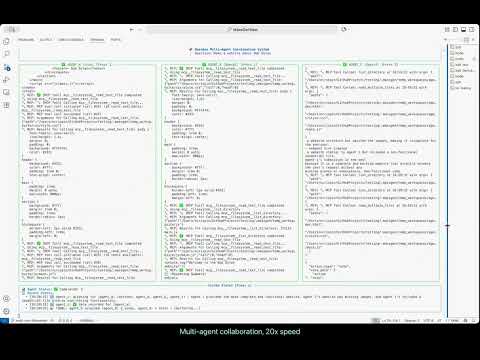
Key artifacts:
- Turn 1: Initial Bob Dylan website creation with HTML, CSS, and JavaScript
- Turn 2: Enhancement building on Turn 1 files (removed placeholders, improved styling, added interactivity)
- Session management with automatic state preservation across turns
- Complete conversation history in
SESSION_SUMMARY.txt
📊 EVALUATION & ANALYSIS
Results
The v0.0.25 multi-turn filesystem support successfully achieved all success criteria and demonstrated iterative development capabilities across conversation turns:
✅ Continue Previous Conversations: Users resumed conversation after Turn 1, with Turn 2 building upon previous work
✅ Iterative Development: Bob Dylan website refined across 2 turns - from initial creation to enhanced version with removed placeholders and added interactivity
✅ Access Previous Work: Turn 2 agents accessed Turn 1’s index.html, styles.css, and script.js to make enhancements
✅ Track Conversation History: Complete session history preserved in SESSION_SUMMARY.txt with metadata for both turns
The Multi-Turn Process
How agents iteratively developed the website with v0.0.25 multi-turn support:
Turn 1 - Initial Creation (Winner: agent_b / GPT-5-mini at 20:30:37):
- Created complete Bob Dylan fan site structure in workspace
site/index.html- Full HTML with biography, discography, timeline sectionssite/css/styles.css- Professional styling with typography and layoutsite/js/script.js- Basic interactivity and animationssite/assets/- Gallery placeholder structure- Workspace saved to
.massgen/sessions/session_20251001_180951/turn_1/
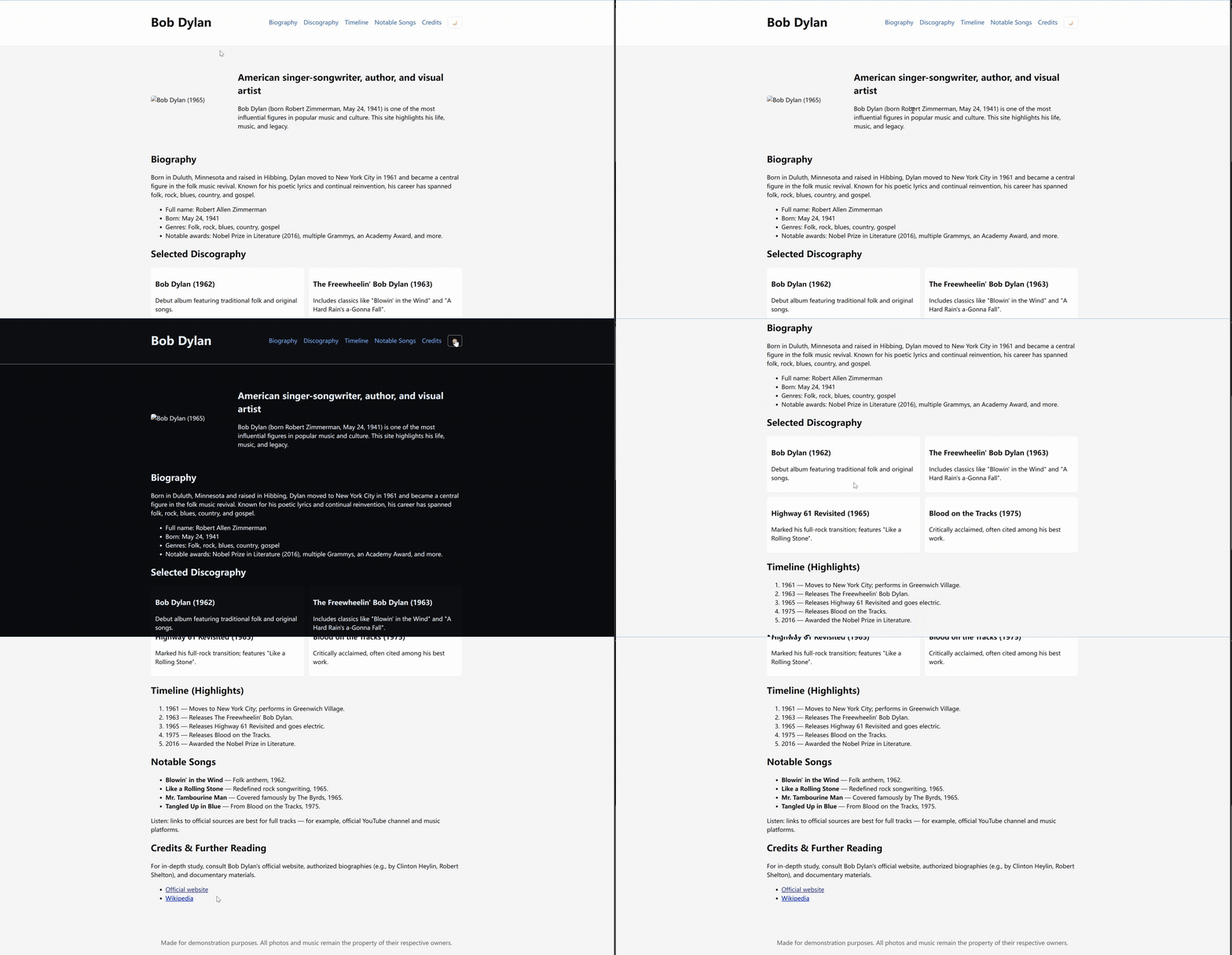
Turn 1 result: Initial Bob Dylan fan site with biography, discography, timeline, and gallery placeholder sections
Turn 2 - Enhancement Building on Turn 1 (Winner: agent_b / GPT-5-mini at 21:08:52):
- Agents automatically loaded Turn 1 session and accessed previous files
- Removed image placeholder gallery section (per user request)
- Enhanced
styles.csswith improved typography, colors, and responsive design - Expanded biographical content in
index.html - Added interactive timeline and quiz feature in
script.js - Enhanced files saved to
.massgen/sessions/session_20251001_180951/turn_2/
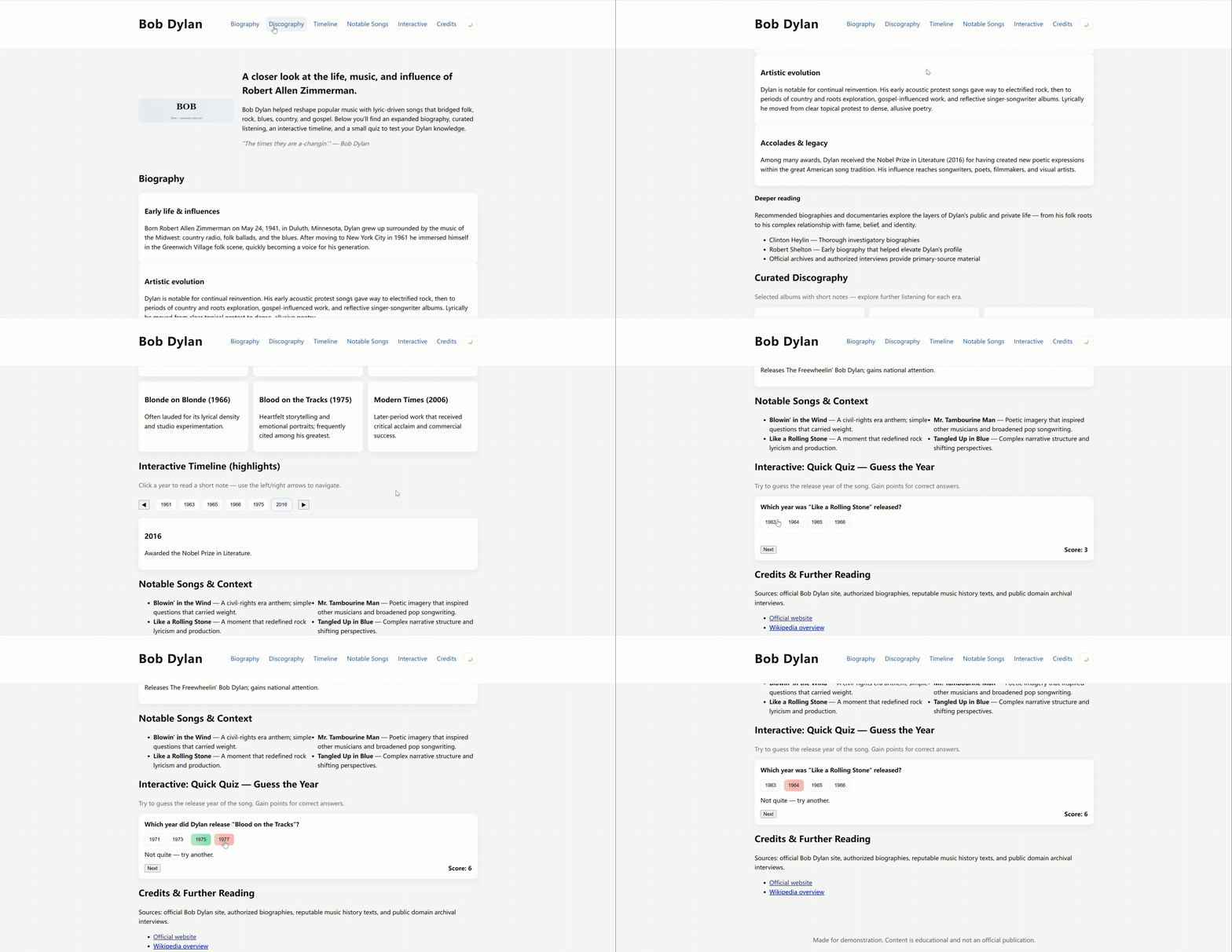
Turn 2 result: Enhanced website with removed placeholders, improved styling, expanded content, and interactive timeline/quiz features
Key v0.0.25 improvement: Session storage enabled Turn 2 agents to seamlessly access and build upon Turn 1’s work without manual file management.
Context Preservation Mechanisms:
- Answer History: Previous turn answers included in agent context
- Workspace Access: Read access to previous turn workspaces through context paths
- Session Metadata: Complete conversation history available for reference
- Anonymous Context: Previous work accessible without exposing agent identities
Quality Improvements Through Multi-Turn:
- Iterative Refinement: Each turn builds upon and enhances previous work
- Cumulative Progress: Final result combines improvements from all turns
- Context-Aware Decisions: Agents make informed choices based on conversation history
- Natural Conversation Flow: Seamless continuation without repetitive explanations
🎯 Conclusion
The Multi-Turn Filesystem Support in v0.0.25 successfully solves critical conversation continuity problems that users faced when building complex projects. The key user benefits specifically enabled by this feature include:
- Build Iteratively: Refine complex projects across multiple conversation turns with full workspace continuity
- Resume Naturally: Continue previous conversations with automatic session restoration and context preservation
- Track Progress: Review the complete evolution of multi-turn conversations through session summaries and metadata
📌 Status Tracker
- [✓] Planning phase completed
- [✓] Features implemented (v0.0.25)
- [✓] Testing completed
- [✓] Demo recorded (logs available)
- [✓] Results analyzed
- [✓] Case study reviewed
Case study conducted: October 1, 2025 MassGen Version: v0.0.25 Configuration: massgen/configs/tools/filesystem/multiturn/grok4_gpt5_gemini_filesystem_multiturn.yaml