CaseStudies
MassGen v0.0.21-v0.0.22: Advanced Filesystem with User Context Path Support
MassGen is focused on case-driven development. This case study documents the development and validation of v0.0.21’s Advanced Filesystem Permissions System and v0.0.22’s copy MCPs, which enables multi-agent collaboration with granular file access controls.
:depth: 3
:local:
📋 PLANNING PHASE
📝 Evaluation Design
Prompt
The prompt tests multi-agent collaboration on a file-based web development task requiring both read access to existing files and write access for deploying enhanced solutions:
Enhance the website in massgen/configs/resources with: 1) A dark/light theme toggle with smooth transitions, 2) An interactive feature that helps users engage with the blog content (your choice - could be search, filtering by topic, reading time estimates, social sharing, reactions, etc.), and 3) Visual polish with CSS animations or transitions that make the site feel more modern and responsive. Use vanilla JavaScript and be creative with the implementation details.
Baseline Config
Without the new permission system, agents would have unrestricted file access, potentially causing conflicts or overwriting each other’s work. The baseline config would use standard filesystem tools without permission controls.
Baseline Command
massgen --config @examples/tools/filesystem/gpt5mini_cc_fs_context_path \
  "Enhance the website in massgen/configs/resources with: 1) A dark/light theme toggle with smooth transitions, 2) An interactive feature that helps users engage with the blog content (your choice - could be search, filtering by topic, reading time estimates, social sharing, reactions, etc.), and 3) Visual polish with CSS animations or transitions that make the site feel more modern and responsive. Use vanilla JavaScript and be creative with the implementation details."
🔧 Evaluation Analysis
Results & Failure Modes
Problems users experienced before User Context Path feature:
- Uncontrolled production access: Users couldn’t restrict which agents could modify their production directories - all agents could overwrite critical files
- Deployment conflicts: Multiple agents could simultaneously attempt to deploy to the same production location, causing file conflicts and overwrites
- No workspace isolation: Users couldn’t give agents different levels of access - either all agents could write everywhere, or none could write anywhere
Success Criteria
- Controlled Production Access: Users can designate which agents are allowed to modify production directories while others can only read
- Conflict-Free Deployment: Only one designated agent can deploy to production, eliminating simultaneous deployment conflicts
- Flexible Access Levels: Users can configure different agents with different access levels to the same directories
- Preserved Collaboration: Agents can still review and build upon each other’s work within their permitted access levels
🎯 Desired Features
To address these limitations, we need:
- Permission Validation System: A mechanism to validate file operations against defined permissions
- User Context Paths: Configuration to specify which directories agents can read or write
- Differentiated Access Levels: Context agents get read-only access, final agent gets configured permissions
- Hook System: Intercept and validate file operations before execution
- Copy MCP Tools: Additional MCP tools to allow agents to copy files between workspaces and to context paths
🚀 TESTING PHASE
📦 Implementation Details
Version
MassGen v0.0.21-v0.0.22
✨ New Features
v0.0.21 - Advanced Filesystem Permissions System:
- New
PathPermissionManagerclass for granular permission validation - User context paths with configurable READ/WRITE permissions for multi-agent file sharing
- Test suite for permission validation in
test_path_permission_manager.py - Documentation in
permissions_and_context_files.md
Additional v0.0.21 Updates:
- For other features introduced in v0.0.21, see the full v0.0.21 release notes
v0.0.22 - Enhanced Workspace Collaboration:
- New
workspace_copy_server.pyfor efficient multi-agent file sharing - Support for large file and directory copying operations
- Restructured configuration system with logical categories (basic/, providers/, tools/, teams/)
- Improved security validation for file transfers
- Automatic workspace cleanup at startup
- Enhanced documentation and configuration guides
- For complete v0.0.22 features, see the full v0.0.22 release notes
New Config
Configuration for GPT-5 Mini and Claude Code with filesystem permissions and context paths.
massgen/configs/tools/filesystem/gpt5mini_cc_fs_context_path.yaml
Example configuration structure:
orchestrator:
  context_paths:
    - path: "massgen/configs/resources/v0.0.21-example"
      permission: "write"  # Final agent can write
Command
massgen --config @examples/tools/filesystem/gpt5mini_cc_fs_context_path \
  "Enhance the website in massgen/configs/resources with: 1) A dark/light theme toggle with smooth transitions, 2) An interactive feature that helps users engage with the blog content (your choice - could be search, filtering by topic, reading time estimates, social sharing, reactions, etc.), and 3) Visual polish with CSS animations or transitions that make the site feel more modern and responsive. Use vanilla JavaScript and be creative with the implementation details."
🤖 Agents
- Agent 1 (GPT-5 Mini)
- Agent 2 (Claude Code)
Both agents have filesystem access with READ access to the production directory, but only the final agent will have WRITE access to deploy the final solution.
🎥 Demo
Watch the v0.0.22 Advanced Filesystem Permissions System in action:
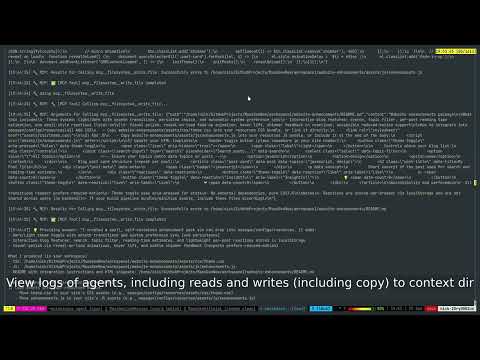
Key artifacts:
- Agent workspaces with isolated file creation
- Coordination events showing permission enforcement
- Final deployment to production location
📊 EVALUATION & ANALYSIS
Results
The combined v0.0.21-v0.0.22 system successfully achieved all success criteria and demonstrated new workspace collaboration capabilities:
✅ Controlled Production Access: Agent 1 had isolated workspace development, final deployment controlled through permissions
✅ Workspace Copy Tools: Agent 1 used v0.0.22’s workspace_copy_server.py to efficiently transfer files from workspace to production
✅ Permission-Secured Deployment: Only the selected winner could deploy to the designated production path
✅ Feature Completeness: All three website enhancements implemented successfully (theme toggle, interactive features, visual polish)
✅ Effective Collaboration: Agents developed solutions in parallel without workspace conflicts
The Collaborative Process
How agents generated solutions with v0.0.21-v0.0.22 features:
- Agent 1 (GPT-5 Mini) created a modular enhancement package in isolated workspace:
website-enhancements/assets/css/theme.css- Complete dark/light theme system with CSS variableswebsite-enhancements/assets/js/enhancements.js- Interactive features (search, filtering, reactions, sharing, reading time estimates)website-enhancements/README.md- Detailed integration instructions for drop-in deployment
- Agent 2 (Claude Code) created a comprehensive integrated solution in its workspace:
enhanced-blog/index.html- Complete HTML with all features integratedenhanced-blog/styles.css- Unified CSS with animationsenhanced-blog/script.js- All interactive functionality combined
Key v0.0.22 improvement: Workspace copy tools enabled seamless file transfer between isolated development environments and production.
The Final Answer
How v0.0.22 workspace copy tools secured the deployment process:
- Agent 1 was selected as the winner based on its modular, drop-in approach
- Agent 1 used
mcp__workspace_copy__copy_fileto transfer files from its workspace to production:- Copied
theme.css(6,093 bytes) toassets/css/theme.css - Copied
enhancements.js(7,550 bytes) toassets/js/enhancements.js
- Copied
- Agent 1 integrated the enhancements into the existing
index.htmlwithout replacing the site structure - Production deployment completed with all permission validations enforced
Key improvement: Workspace copy tools provided secure, auditable file transfers while maintaining permission boundaries.
Before & After Results
Original website before enhancements
Final enhanced website with dark/light theme toggle, search/filter, reactions, and smooth animations
Workspace Collaboration Benefits
Additional benefits observed with v0.0.22 workspace copy tools:
- Secure File Transfer: All file operations logged and validated against permissions
- Workspace Isolation: Each agent developed in completely isolated environments
- Audit Trail: Logs of all workspace copy operations and permission validations
- Conflict Prevention: No risk of agents overwriting each other’s development work
🎯 Conclusion
The User Context Path feature in v0.0.21 and copy MCP tools in v0.0.22 successfully solves critical collaboration problems that users faced when working with production codebases. The key user benefits specifically enabled by these features include:
- Enhanced Safety: Users can now let agents explore their other code without fear of accidental overwrites
- Controlled Deployment: Users can designate specific agents for deployment while others focus on analysis and development
- Conflict Prevention: Users no longer experience deployment conflicts from multiple agents trying to modify the same files
📌 Status Tracker
- [✓] Planning phase completed
- [✓] Features implemented (v0.0.21 & v0.0.22)
- [✓] Testing completed
- [✓] Demo recorded (logs available)
- [✓] Results analyzed
- [✓] Case study reviewed
Case study conducted: September 25, 2025 MassGen Version: v0.0.22 Configuration: massgen/configs/tools/filesystem/gpt5mini_cc_fs_context_path.yaml